AI-assisted SQL generation
Instead of writing SQL by hand, you can describe what you want in plain language and have arcodash draft the query for you.
How it works
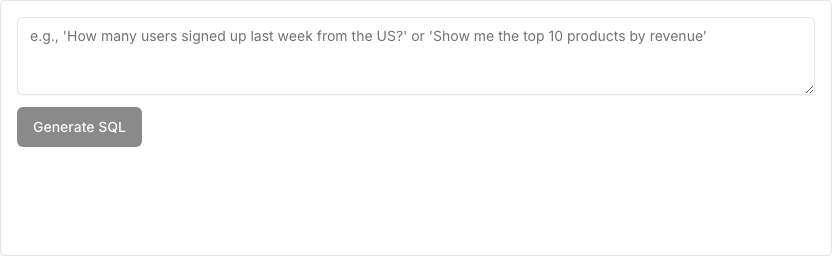
Type a question about the connected connector (e.g. “monthly signups by plan for the last 6 months”) and arcodash generates a SQL statement for you to review, using the currently connected connector’s dialect. If you already have a query in the editor, describing a change refines the existing SQL instead of starting over.
[!NOTE] This only ever produces SQL text. It never runs the generated query for you — you review it in the editor and hit Execute yourself, exactly like any SQL you typed by hand.
The “Ask with AI” tab sits next to “SQL Editor” and holds the question box and the Generate SQL button:
What’s sent, and what isn’t
Generating SQL sends the connected connector’s schema — table and column names only — plus your question to your organization’s configured AI provider (Gemini, OpenAI, or Anthropic), using your organization’s own key. It never sends any row-level data from your database. See Data handling & privacy for exactly what every AI feature sends.
Admin configuration
This feature is optional and configured per organization. An admin enables it by adding a provider API key (in AI Settings — see AI provider configuration) and can set a rate limit on how many generation requests are allowed per user per minute. Whether AI generation is available to you at all depends on whether your organization’s admin has configured it — if it isn’t, the feature simply reports that no key is configured and points you at AI Settings rather than failing silently.
Once configured, generating SQL is available to any user with access to the target connector — using the feature doesn’t itself require admin rights, only configuring it does.
[!TIP] Always read the generated SQL before running it, the same as you would review any query someone else handed you — it’s a draft to check, not a black box to trust blindly.
The other AI features
The same provider key powers two sibling features: Auto Visualize, which picks a visualization type and configuration for a query result (see Visualizations), and Suggest checks, which proposes data-quality monitors from a connector’s schema (see Data observability monitors). All three share the same per-user rate limit.
Where to go next
- The SQL editor — where the generated SQL lands.
- Parameters — parameterize a query once you’ve got the SQL right.
- AI provider configuration — keys, provider order, models, and rate limits.