Users
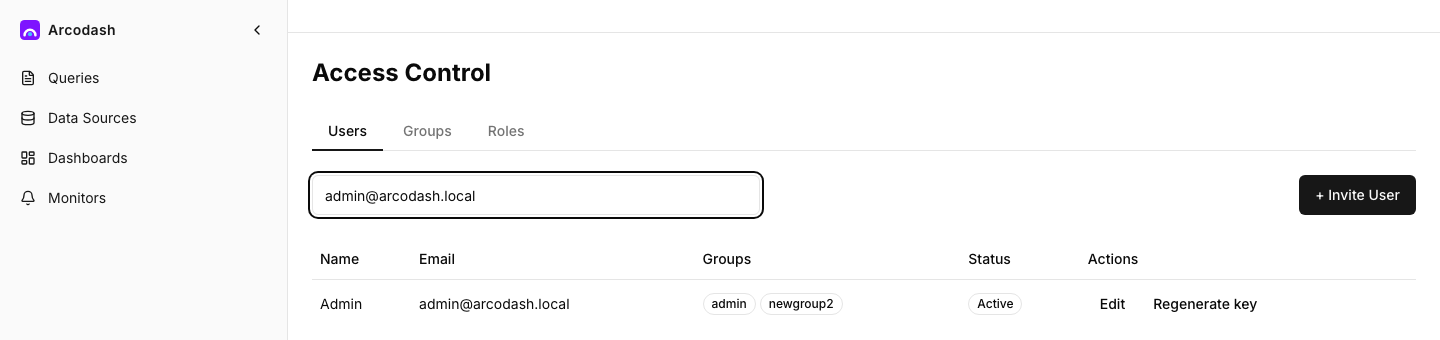
The Users page lists everyone in your organization and is where you invite, edit, and disable
accounts. Reading the list requires view_users; changing anything requires manage_users —
admins have both by default.
Inviting a user
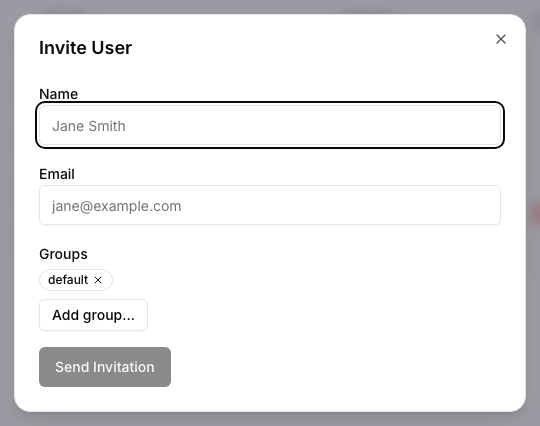
Invite someone by name, email, and (optionally) the groups they should start in. arcodash creates the account immediately and emails an invitation link automatically.
The invitation link never expires. The invitee opens it and either signs in or creates an account
using the exact email address the invitation was sent to — no password is ever set inside
arcodash. Until that happens, the account is marked is_invitation_pending and can’t sign in.
[!NOTE] An invited user’s API key is generated at invite time but withheld from the invite response and from the invitee until the invitation is accepted — a key for an account that can’t log in yet would be a bearer secret with no legitimate use.
Editing a user
You can change a user’s name, email, group memberships, and disabled state. Editing yourself is allowed for name/email/groups.
Disabling vs. deleting
There is no delete — removing a user’s access means disabling their account. A disabled account
(disabled_at set) can’t log in and stops counting toward anything that checks who’s active, but
its history (queries authored, dashboards created, events logged) stays intact rather than
orphaning those records or breaking references to them.
You can’t disable yourself, even as an admin — there always has to be another way in.
API keys
Every user has an API key, but there’s no self-service way for a user to see their own — it’s managed entirely from this page. An admin regenerates a user’s key with Regenerate key, which shows the new key once, in the confirmation dialog it appears in; it isn’t shown again afterward, so copy it before closing. If a key leaks, regenerating immediately invalidates the old one.
The daily digest
Each user can opt into a daily digest email from their own notification settings
(POST /api/users/me/digest) — a periodic summary email, separate from monitor alerts. Turning it
on generates a fresh unsubscribe token each time, so any old unsubscribe link for that user stops
working the moment digest is re-enabled. The unsubscribe link in the email itself needs no login —
it’s a public, token-based endpoint so the recipient can opt out in one click.
[!TIP] If a digest unsubscribe link is clicked twice, or after the user already turned digests off, it still shows a normal “not valid anymore” confirmation rather than an error — there’s nothing to troubleshoot there.
Where to go next
- Groups and connector access — control what a user can query once they’re in.
- Roles and permissions — what
manage_usersand the rest of the permission catalog actually unlock.