Snippets
A snippet is a small, reusable piece of SQL - a common JOIN, a standard set of columns, a
recurring WITH clause - that you insert into a query instead of retyping it.
Creating a snippet
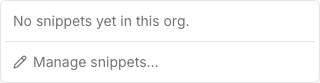
Open the Snippets menu in the query editor and choose “Manage snippets” to create, edit, or delete one. A snippet has three fields:
- Trigger - the short name you’ll pick it by (e.g.
top10). - Description (optional) - a note shown alongside the trigger in the snippet list, for when the trigger alone isn’t self-explanatory.
- Body - the SQL text that gets inserted.
Inserting a snippet
Open the Snippets menu and pick a snippet by its trigger; its body is inserted at the editor’s current cursor position.
A snippet’s body can include tab-stop placeholders using ${1:placeholder} syntax - after
insertion, pressing Tab jumps between them so you can fill in the parts that change each time
(e.g. a table name) without retyping the rest:
SELECT ${1:column} FROM ${2:table} LIMIT ${3:100}Org-wide visibility
Snippets belong to the organization, not to the user who created them or the query they’re used in - every member of the org sees the same snippet list and can insert any snippet into any query they’re editing.
[!NOTE] Creating, editing, or deleting a snippet requires the same permission as creating a query. Every member can still read and insert any existing snippet regardless.
Where to go next
- The SQL editor - where the Snippets menu lives.
- Parameters - the other way to make a query reusable across runs, for values rather than SQL structure.