The dashboard was green. The data was three days old.
Why the tool that shows the number should also check it: freshness, duplicates, null rate and row counts, with SQL you can copy.
A dashboard can look healthy while its data is days old, because charts render whatever the last load left behind. Put checks next to the numbers that matter: freshness (newest row versus now), duplicates on the key, null rate on required columns, and row count against a normal range. Run them on a schedule, return a row only when something is wrong, and send the alert to where people already are, with a note on what moved.
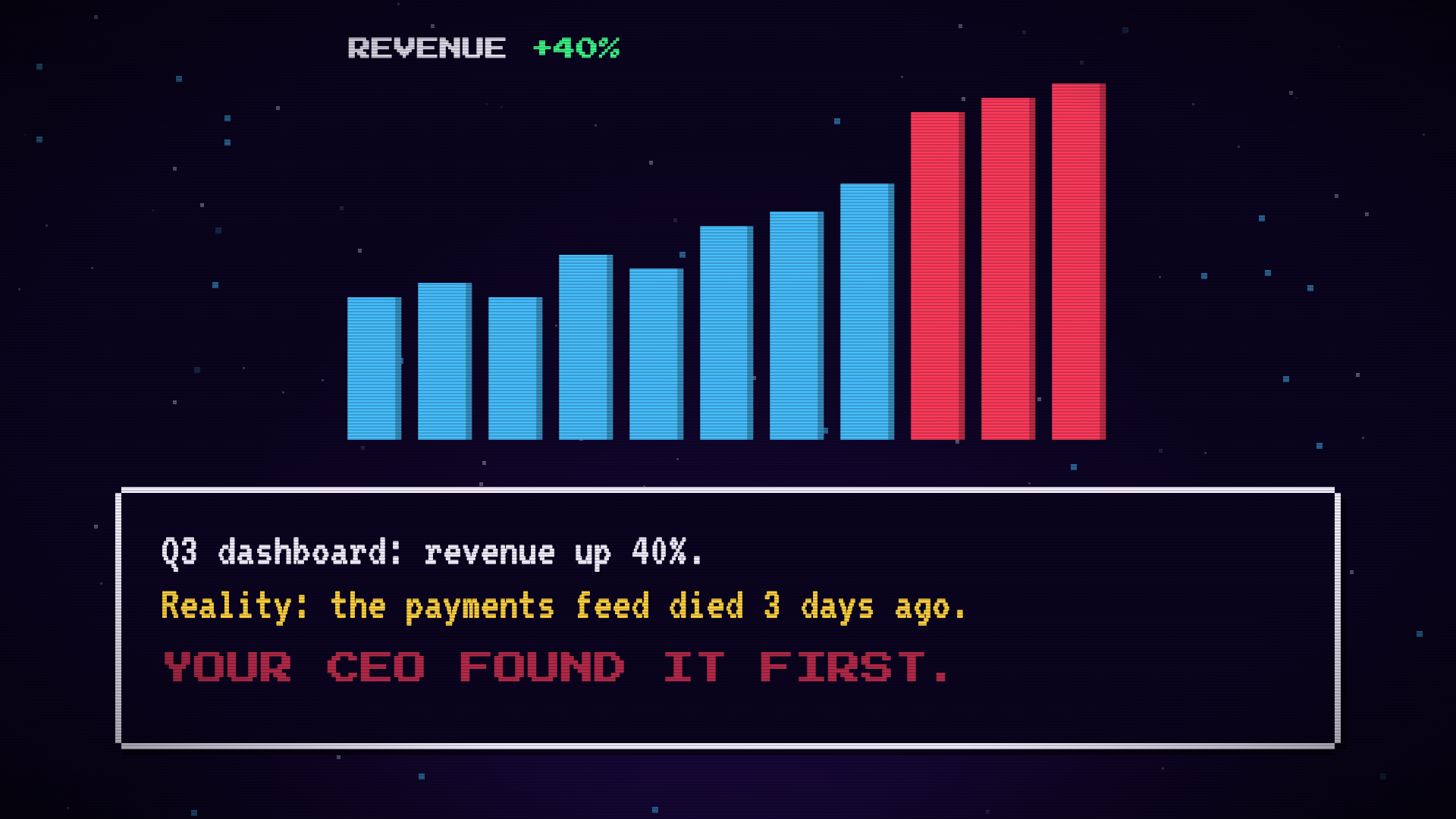
Revenue up 40%. Great quarter. The chart is green, the tile is bold, and someone pastes it into the all-hands channel.
Three days earlier, the payments feed stopped loading. The last three bars are leftovers from the last good run. Nothing errored. Nothing turned red. The CEO noticed first, because the CEO noticed the number was too good.
If you own the numbers, you know this Slack message. It’s not a bug in the chart. It’s that the chart has no idea whether the data under it is alive.
The dashboard can’t see the pipeline
A BI tool renders what’s in the table. If the table is stale, it renders stale. If the table has duplicates, it sums them. If a column went null after a deploy, it averages around the holes. Every one of those looks like a normal chart.
So the check has to live somewhere that can see the data, and it should live next to the number, not in a separate tool you have to remember to open. Four checks cover most of what I’ve seen go wrong.
1. Freshness: is the newest row recent enough?
The check that would have saved the Q3 post. Compare the newest load timestamp to now, and return a row only when the gap is too big.
SELECT
  now() - max(loaded_at) AS lag,
  max(loaded_at)         AS last_row
FROM payments
HAVING coalesce(max(loaded_at), '-infinity')
       < now() - interval '6 hours';
Healthy table, zero rows. Stale table, one row. The coalesce makes an empty table count as stale instead of returning nothing and looking fine.
Pick the window from how the table actually loads. A nightly batch gets 26 hours, not 6. Use the load timestamp, not the business timestamp, or a quiet weekend looks like an outage.
2. Duplicates: does the key stay unique?
A retried webhook or a double-run backfill gives you the same payment twice. Revenue goes up. Nobody complains about revenue going up.
SELECT payment_id, count(*) AS copies
FROM payments
GROUP BY payment_id
HAVING count(*) > 1;
Again, zero rows is healthy. Put the count of offending keys in the alert, not the keys themselves. You want to know it’s 14, not scroll through 14 ids.
3. Null rate: did a required column go empty?
Nulls arrive quietly. A renamed field upstream, a mapping that stopped matching, and amount is null for every row since Tuesday. Sums shrink and nobody sees an error.
SELECT
  round(100.0 * count(*) FILTER (WHERE amount IS NULL) / count(*), 2) AS null_pct
FROM payments
WHERE created_at > now() - interval '1 day'
HAVING 100.0 * count(*) FILTER (WHERE amount IS NULL) / count(*) > 1;
Look at a recent window, not the whole table. Three bad days drown in three years of good rows.
4. Row count: is the volume in a normal range?
The check people skip, and the one that catches the weird stuff: a join that fanned out, a filter that dropped half the day, a load that finished with a tenth of the rows.
SELECT count(*) AS rows_today
FROM payments
WHERE created_at >= date_trunc('day', now())
HAVING count(*) < 0.5 * (
  SELECT count(*) / 7.0
  FROM payments
  WHERE created_at >= now() - interval '8 days'
    AND created_at <  date_trunc('day', now())
);
That compares today to the trailing seven-day average. Watch the time of day: a count at 9am will always look low against full days. Either check after the load window, or compare like for like.
Hand-picked thresholds go stale. A baseline monitor is the alternative: it learns what normal looks like from the metric’s own history and flags when the value leaves that range. You skip the “is 0.5 the right number” argument.
If the number is wrong but fresh, the grain and reconciliation checks in this post on dashboards showing wrong numbers are the next ones to add.
Run them where people already look
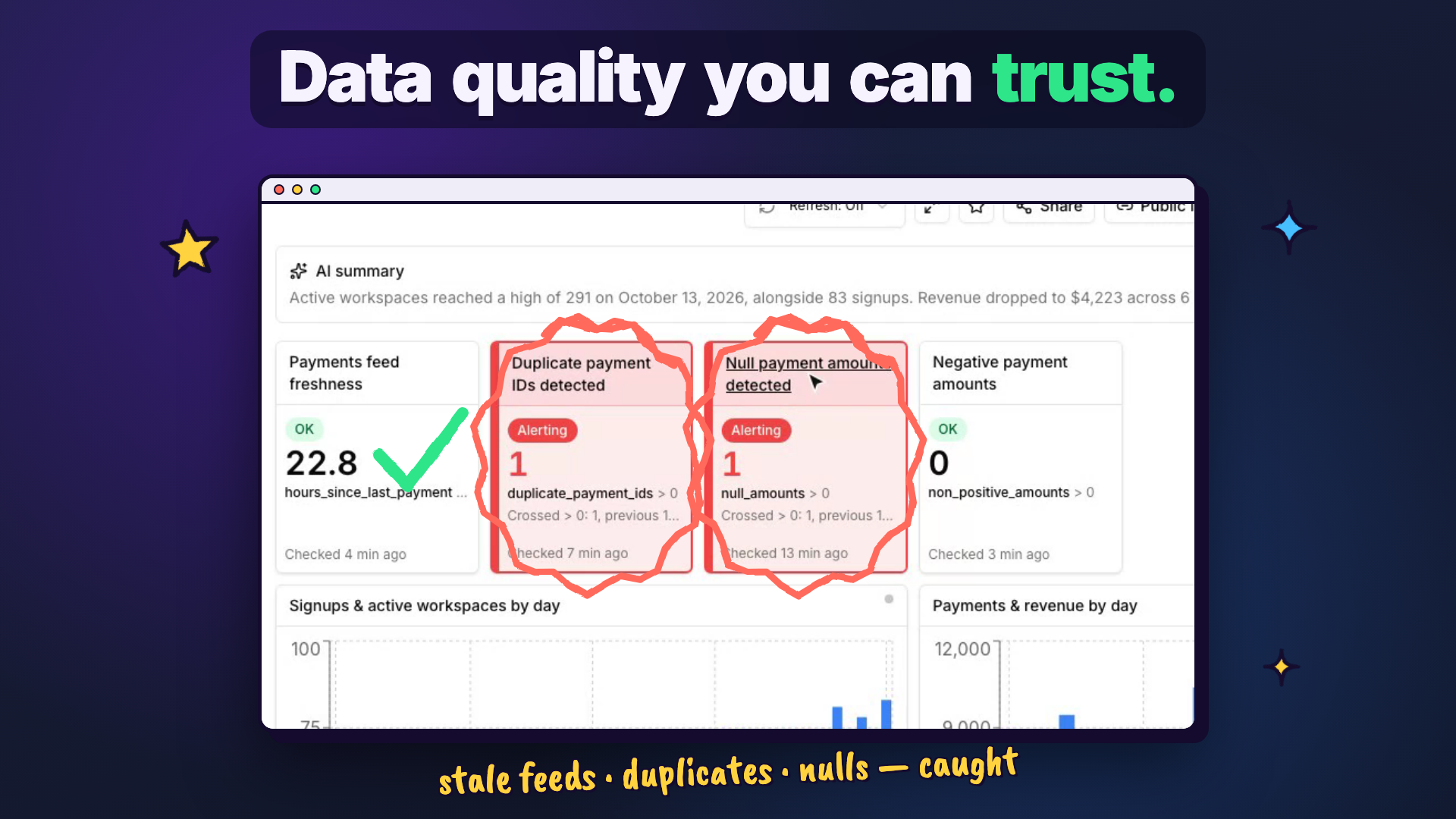
Here’s the part that matters more than the SQL. A check nobody sees is the same as no check. If it lives in a repo and writes to a log, you’ve built a second dashboard to forget about.
Put the check results on the same dashboard as the numbers. Freshness OK in green. Duplicates and nulls in red, with the count and when it was last checked. The person glancing at revenue sees, in the same four seconds, that two of the checks under it are failing.
An alert is only useful if it says why
The check fires at 2am. The alert says duplicate_payment_ids > 0. Now what?
Three things make an alert worth reading:
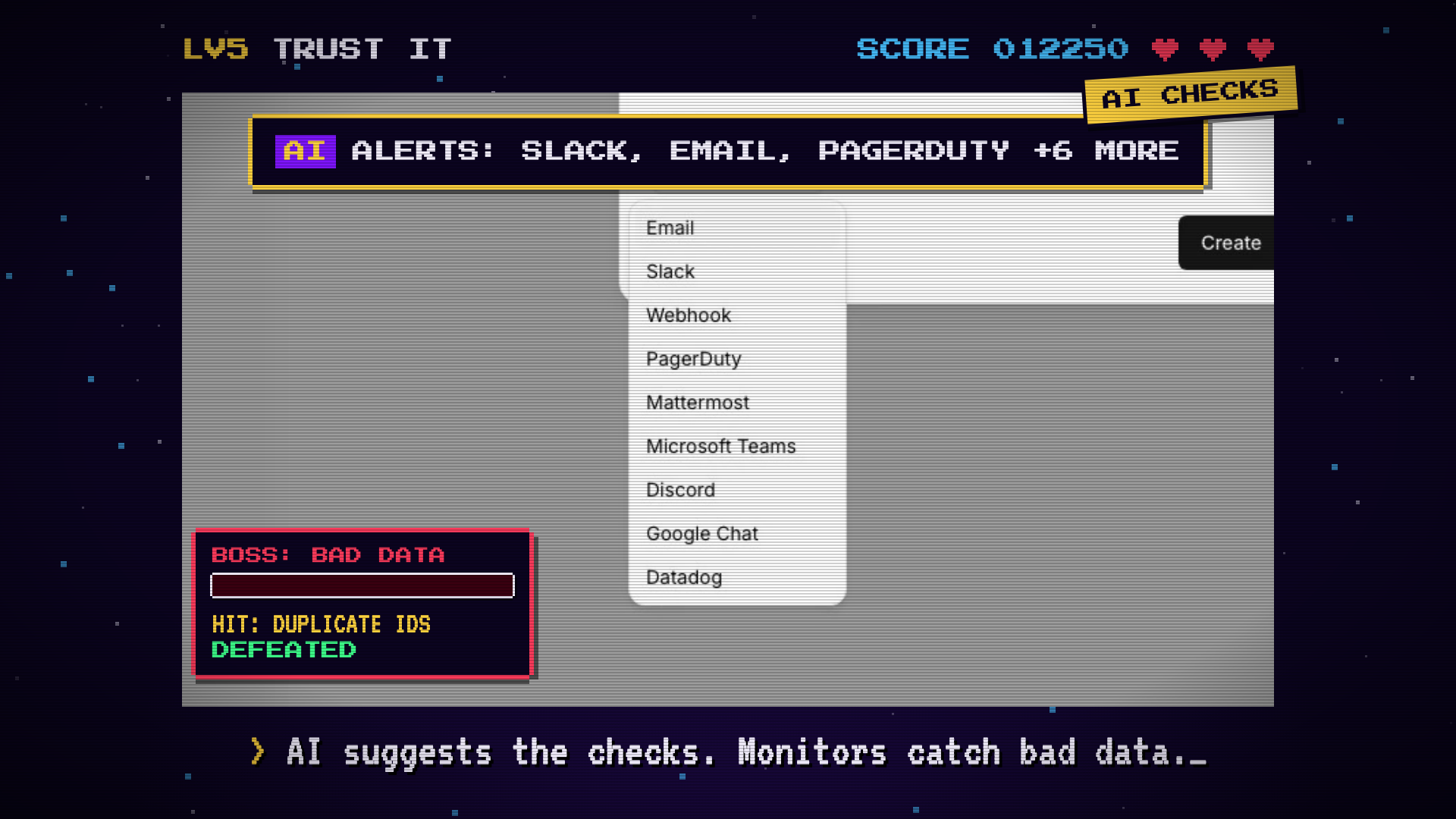
- It goes where the team already is. Slack, email, PagerDuty, Teams, a webhook. Not a tool people have to log into.
- It fires on change. Triggered once, resolved once. Not every five minutes until someone mutes the channel.
- It carries a first guess. Which segment moved, what changed since the last good run. Even a rough lead saves ten minutes of opening tabs.
The last one is the hard one to do by hand. It’s also where AI is genuinely useful: take a first pass at what moved and put it in the message. Treat it as a lead, not a verdict. You still make the call.
Don’t write every check yourself
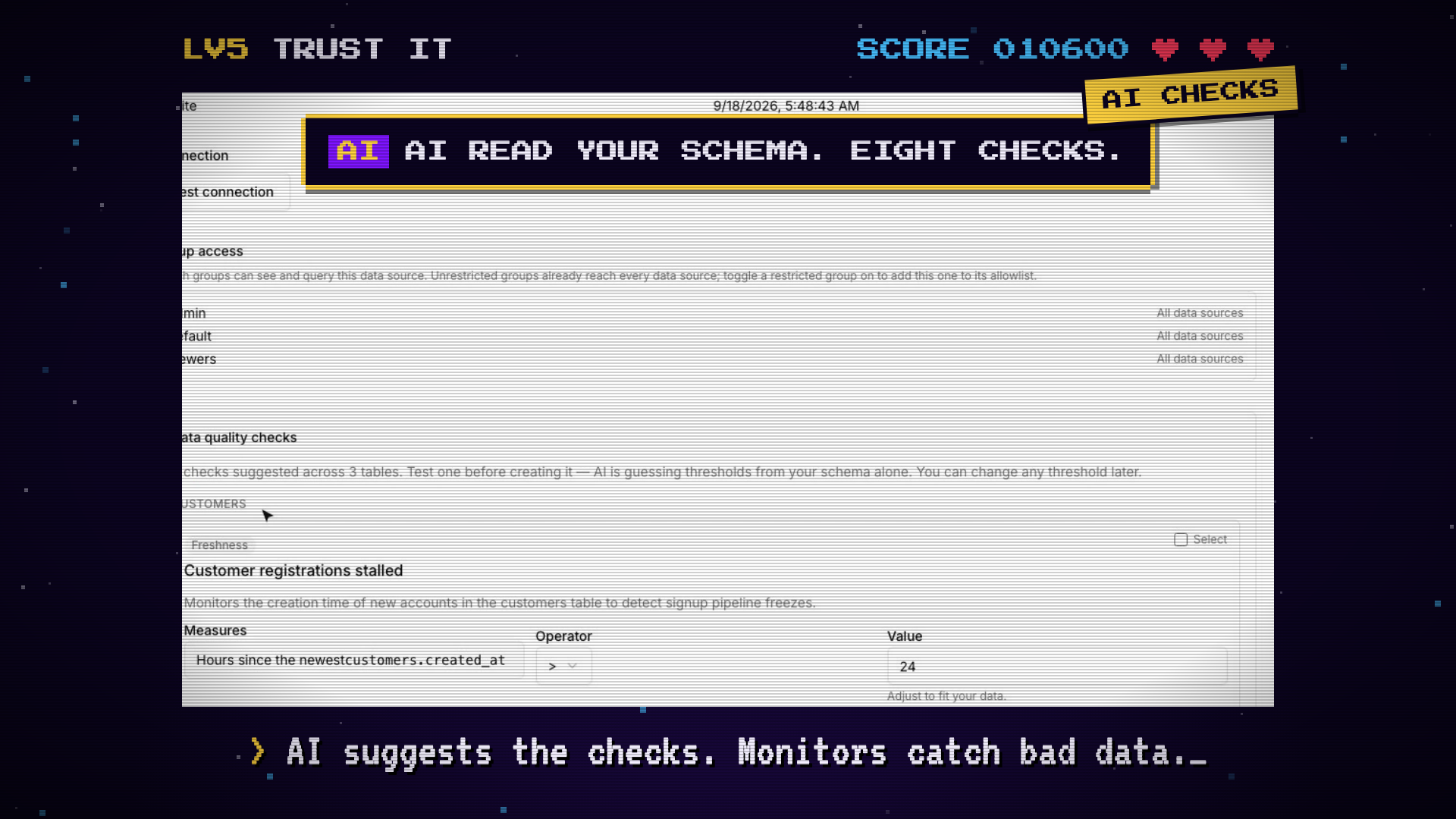
The boring part is the first pass. Which tables need freshness checks? Which columns should never be null? Reading a schema and proposing a starting set is exactly what a model is fine at, as long as you review it. The thresholds are guesses from the schema alone, so test one before you create it and adjust.
Where arcodash fits
I’m building arcodash around this idea: dashboards that check their own numbers. It’s hosted and in early beta.
The checks above (freshness, uniqueness, null rate, row count, metric checks, baseline monitors) run on the same scheduled-query engine as the dashboards, and results sit next to the charts. Alerts go to Slack, email, PagerDuty and 6 more channels, with an AI note on why the check fired. Suggest checks with AI drafts a starting set from your schema using your own Gemini, OpenAI or Anthropic key, and an admin can switch any AI feature off. It’s not a lineage tool: it won’t trace a column back through your pipeline. It tells you the number is wrong, and gives you the first clue.
It’s from $59/month with unlimited seats and no usage billing. 14 days free, no card.
Start with one check
Pick the table behind the number your CEO quotes most. Add the freshness query above, schedule it, and point it at a channel you actually read. That one check would have caught the Q3 post before it went out.
If you want to run it in arcodash, you can start free, or look at a live demo dashboard with its checks running.